A reimagined way to import data
This week's release is a big one. We've rethought the import experience from the ground up and simplified how you navigate to workbooks.

Vish Varma
Co-founder, CEO
Product
Imports, reimagined
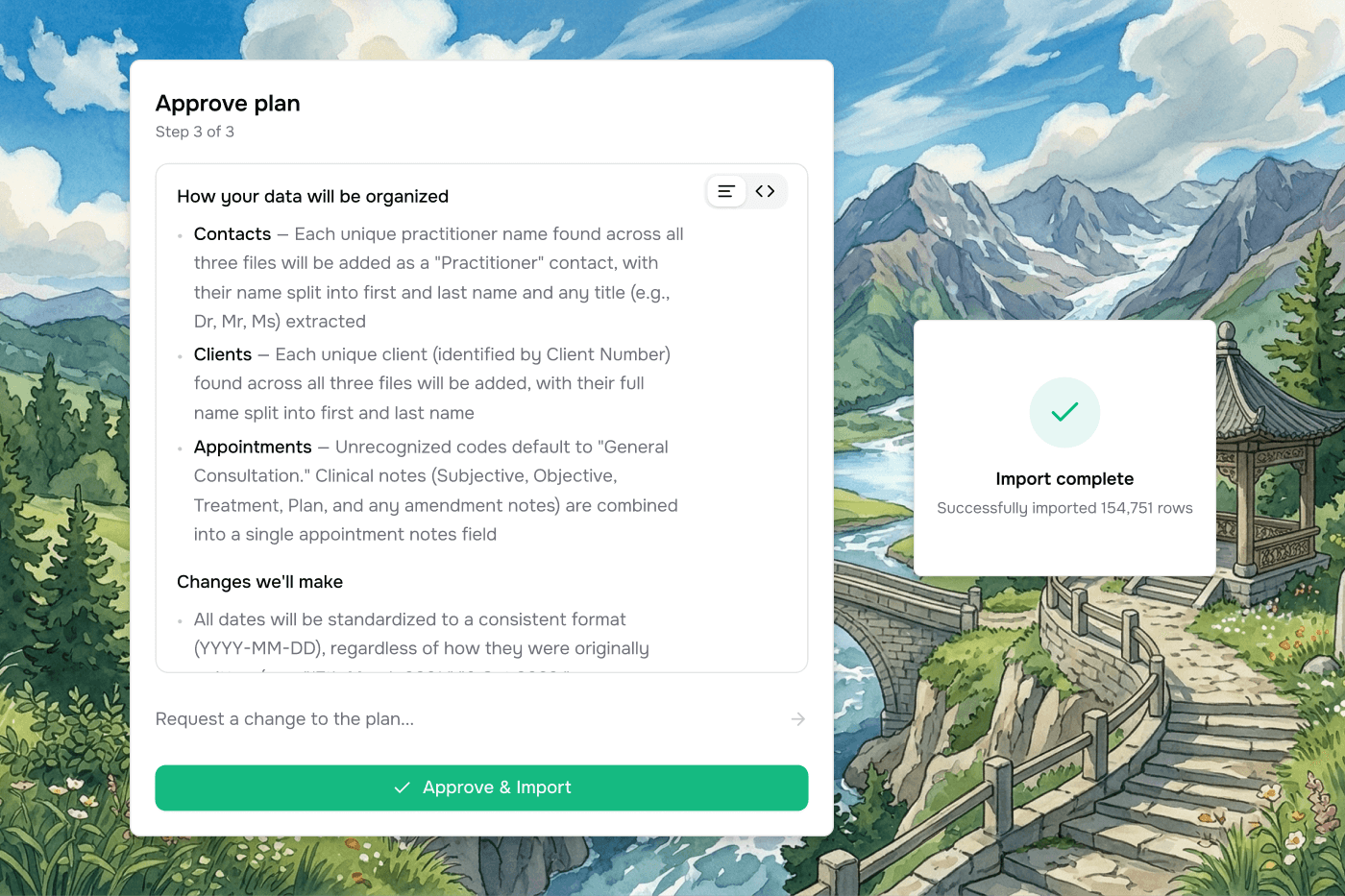
The old import popup has been replaced entirely with a simple flow:
Upload → Interview → Approve.
When Vern spots ambiguity in your data- mismatched values, unexpected column names, missing fields - it asks you targeted questions before doing anything. You answer once, and the import plan is built around your answers.
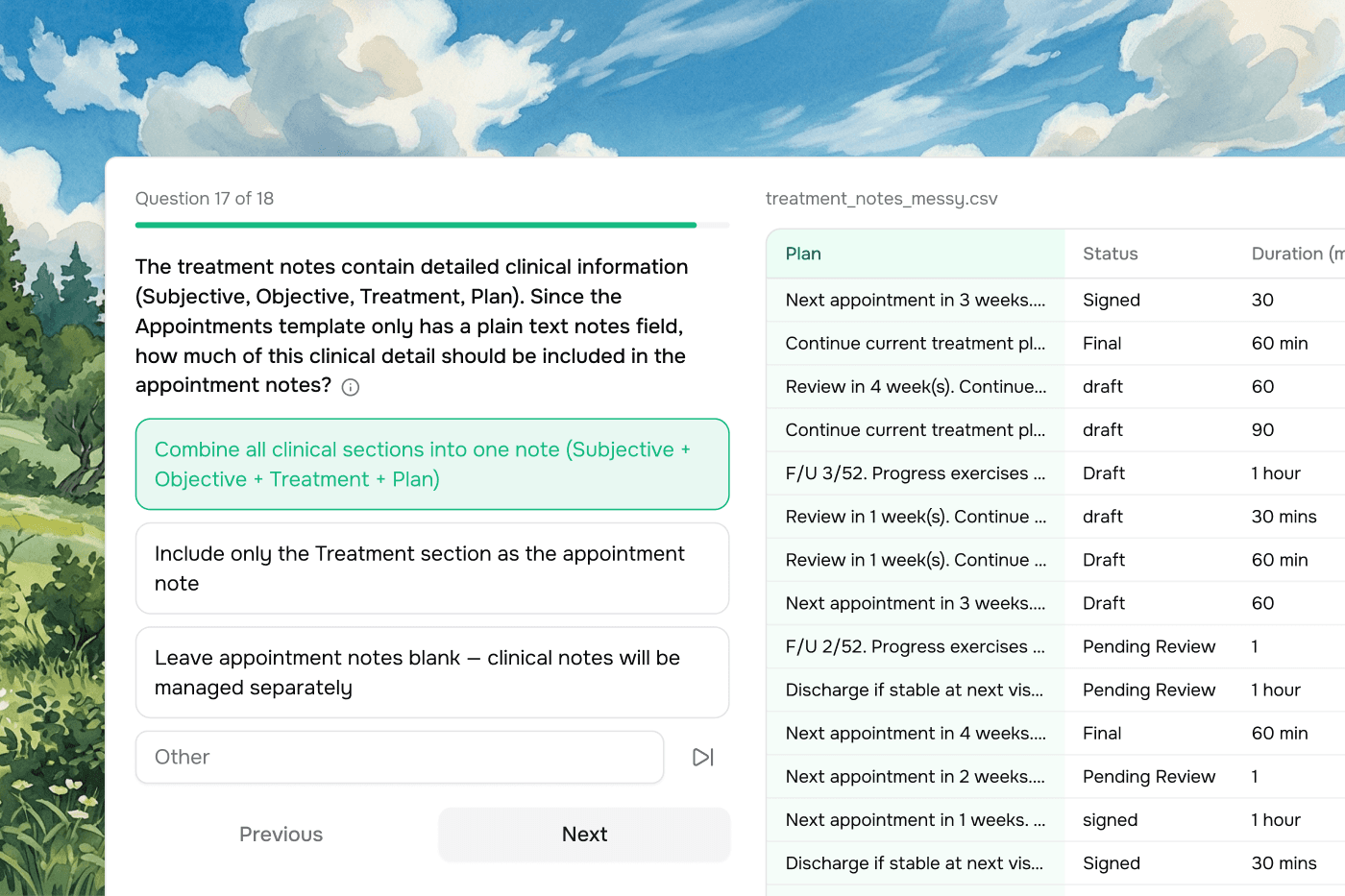
Before a single row moves, you see exactly what's about to happen: a plain-English summary of the migration. You can tweak the plan in natural language, Vern tests it to catch any issues, and once you're happy you hit Approve and watch it run live.
A cleaner workspace
The sidebar has been reorganised to match how you actually work. The company detail page has been tightened up too- source, link, form, and external ID details now live together in a collapsible section on the right, rather than scattered across the page. The workbook header has also been cleaned up: the title now shows the workbook name rather than the sheet name, and export actions have been consolidated into a single Export button where you can choose between CSV and Webhook.
Bug fixes and improvements
Workbook cells now update in real time after AI transformations — no more page refresh required
Import usage now correctly appears in the billing section
Recents section now shows the correct integration logo instead of the company logo
Match rows preview no longer incorrectly labels existing IDs as "New"
The AI conversation no longer resets when switching between sheets
AI now correctly handles prompts that ask it to do multiple things at once
Self sign-ups no longer require a passcode — the product is now open to everyone