Introducing shared workbooks and improved chats
We’re making it faster and easier to collaborate with customers and get more reliable results from workbook chats

Vish Varma
Co-founder, CEO
Product
This January, we’re introducing updates that make it easier for to collaborate with customers and get more reliable results from workbook chats.
These improvements focus on three things teams told us matter most: controlled collaboration, speed, and accuracy at scale.
Collaborate directly with customers in shared workbooks
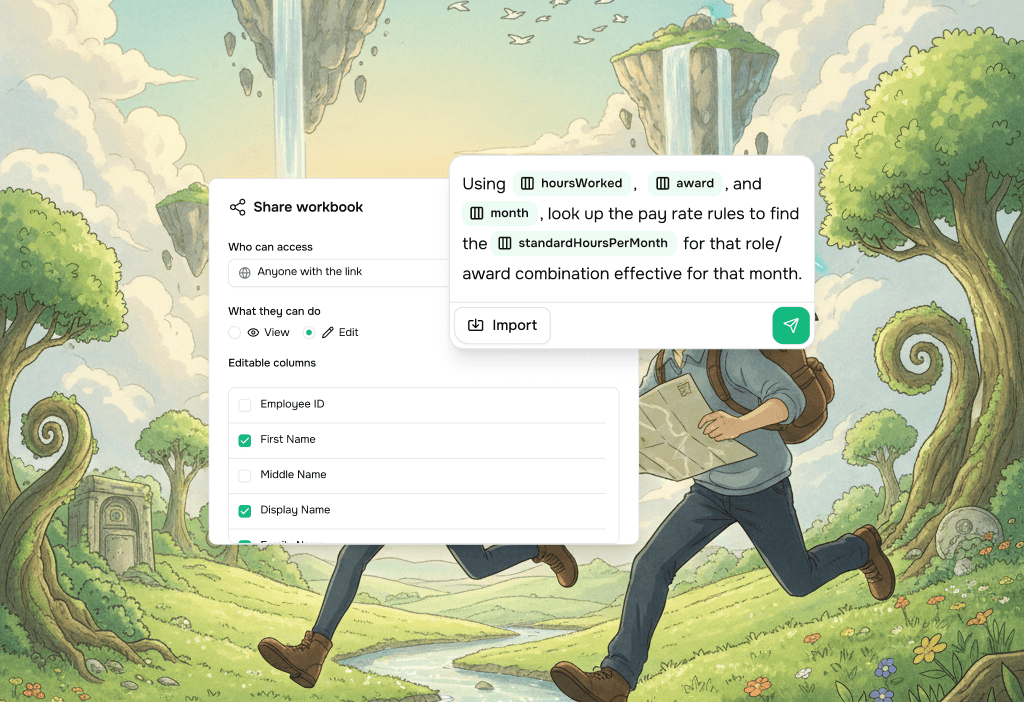
You can now share Vern workbooks with customers and allow them to edit values in specific columns only.
This makes it easier to validate assumptions, collect missing inputs, and resolve edge cases directly with customers - without exporting files or losing control of the data model.
How it works
Go to the Company page
Click the Share icon
Choose View or Edit
Select which columns customers are allowed to edit
Everything else remains read-only, so your structure and logic stay protected while customers fill in exactly what’s needed.
Much faster, more reliable workbook chats
We’ve significantly improved how tool calling works inside workbook chats.
Vern now dynamically decides whether to run a deterministic tool or an AI-powered one, based on your prompt and the task at hand.
For common onboarding transformations like:
column stitching
date normalization
calculations
standard formatting
this reduces execution time from minutes to seconds, while producing more predictable results.
The outcome: faster iterations, fewer retries, and more confidence when working with large datasets.
Reference columns directly with @ mentions
You can now reference columns by typing @ in workbook chats.
This improves both performance and accuracy, and unlocks more advanced workflows across sheets.
With @mentions, Vern can:
reason more precisely about your data
perform cross-sheet calculations
infer relationships between columns
Example use cases
calculating amounts based on payroll frequency
applying exchange rates across datasets
lookups similar to Excel’s VLOOKUP, without manual formulas
This makes complex logic easier to express in plain language - especially for non-technical teams.
What’s next
We’re continuing to invest in making Vern faster, more predictable, and easier to use in real onboarding workflows.
Next up, we’re focused on:
automated transformations for specific customer source platforms
clearer explainability when transformations run across large datasets
expanding deterministic tooling for common onboarding patterns
As always, we’ll keep iterating based on how implementation teams use Vern in production.